Quick Start
Create a test payment and pay it on the sandbox checkout. It takes about 10 minutes, and no real money moves.
1. Get a sandbox key
-
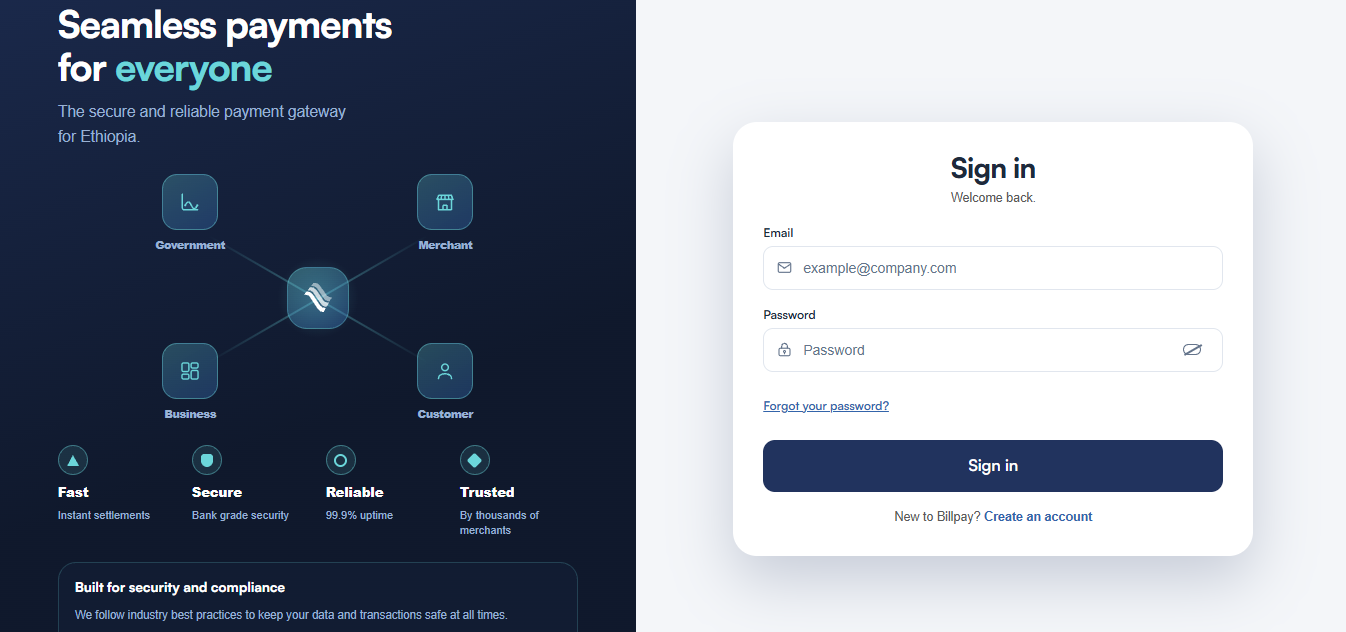
Sign up at merchant.billpay.et. The sandbox works right away, before your business is verified.
-
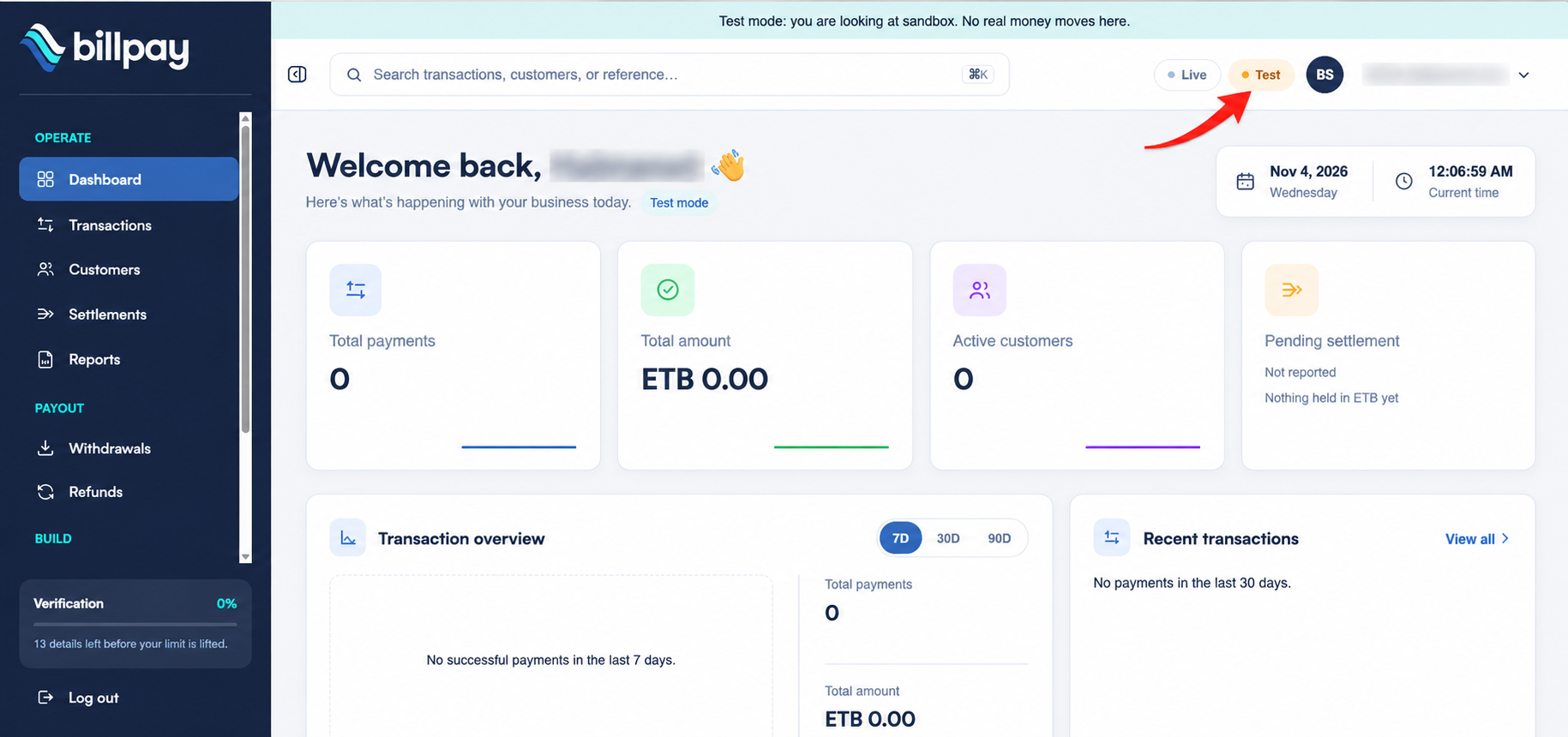
Switch to Test at the top of the portal.
-
Go to Developers → API keys and create a key. Copy it now, because it's shown only once. Sandbox keys start with
BPG_TEST-.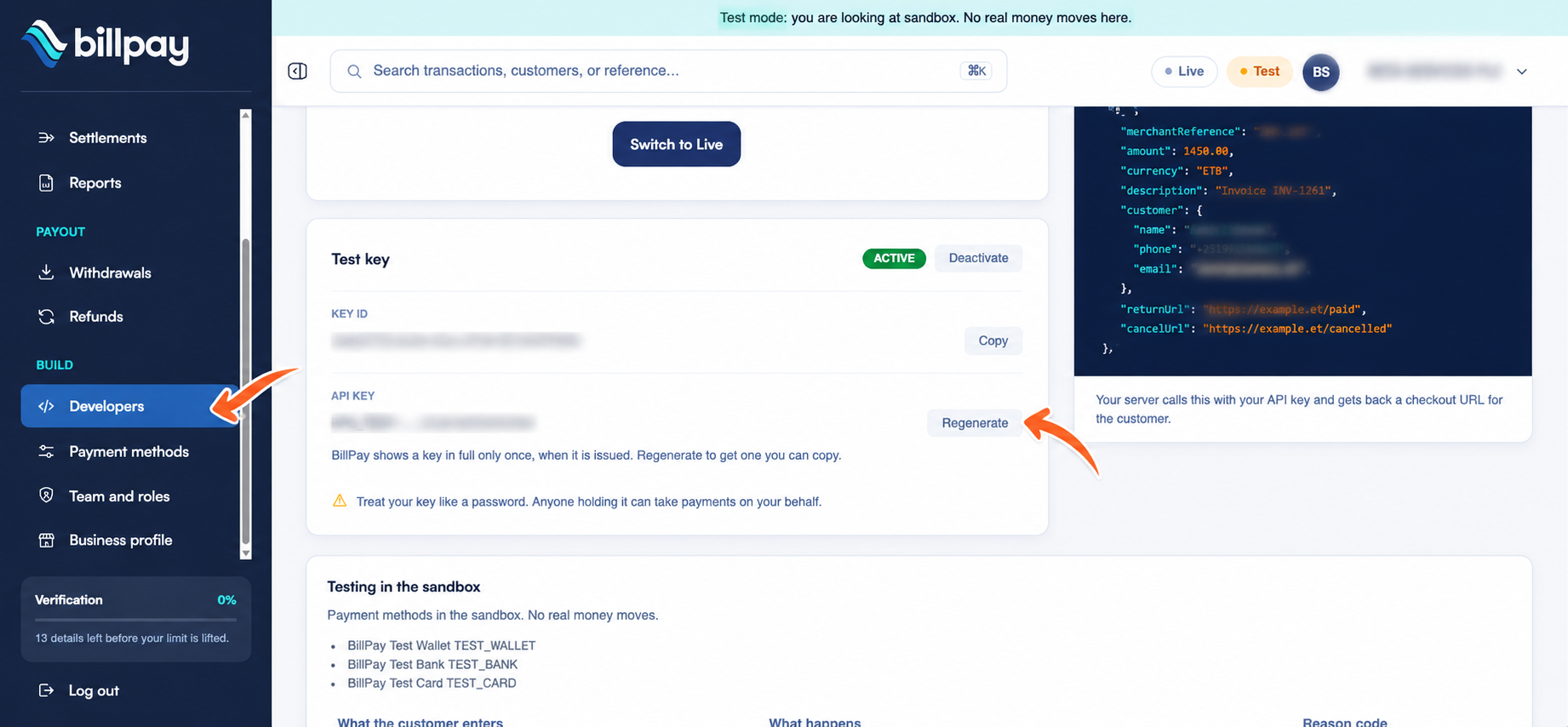
Save the key in your terminal session:
- macOS / Linux / Git Bash
- Windows PowerShell
export BILLPAY_API_KEY="BPG_TEST-xxxxxxxxxxxxxxxx"
$env:BILLPAY_API_KEY = "BPG_TEST-xxxxxxxxxxxxxxxx"
2. Create a payment
- macOS / Linux / Git Bash
- Windows PowerShell
curl https://sandbox.api.billpay.et/api/v1/checkout/payments \
  -H "x-api-key: $BILLPAY_API_KEY" \
  -H "Content-Type: application/json" \
  -H "Idempotency-Key: test-order-001" \
  -d '{
    "merchantReference": "test-order-001",
    "amount": 100.00,
    "description": "My first test payment",
    "returnUrl": "https://example.com/orders/test-order-001",
    "cancelUrl": "https://example.com/cart"
  }'
$headers = @{
  "x-api-key"       = $env:BILLPAY_API_KEY
  "Idempotency-Key" = "test-order-001"
}

$body = @{
  merchantReference = "test-order-001"
  amount            = 100.00
  description       = "My first test payment"
  returnUrl         = "https://example.com/orders/test-order-001"
  cancelUrl         = "https://example.com/cart"
} | ConvertTo-Json

$res = Invoke-RestMethod -Method Post `
  -Uri "https://sandbox.api.billpay.et/api/v1/checkout/payments" `
  -Headers $headers -ContentType "application/json" -Body $body

$res.body.checkoutUrl
The response has your payment inside body. Copy the checkoutUrl.
test-order-001 can only ever belong to one payment. To make another one,
change it in both places, for example to test-order-002.
3. Pay it
Open the checkoutUrl in your browser and choose BillPay Test Wallet.
The number you type decides what happens:
| Type this number | Result |
|---|---|
0911234567 (or any number not listed below) | Paid after a few seconds |
0911001111 | Declined by the customer |
0911000000 | Insufficient funds |
You'll land on your returnUrl. The payment shows up in the portal under
Transactions, with the status CAPTURED if it was paid.
More test numbers are on the Testing page.
4. Check it from your server
curl https://sandbox.api.billpay.et/api/v1/checkout/payments/by-reference/test-order-001 \
  -H "x-api-key: $BILLPAY_API_KEY"
Next steps
- Accept a Payment: every field, with Node.js, Python, and PHP examples.
- Webhooks: get the result on your server automatically.
- Go Live: what to check before taking real money.